
OBS HR, Payroll, Attendance & Remote Monitoring for WordPress
HR, Indian payroll, attendance and remote monitoring — inside your own website
Photo + GPS punch in, daily work logs, leave with notice rules, projects, PF/ESI/PT/LWF/TDS payroll with PDF payslips, a login-only employee portal and transparent screen monitoring. One flat yearly price per website. No per-employee fees.
WordPress 6.4+ · PHP 7.4 to 8.5 · WooCommerce not needed · Made in Bengaluru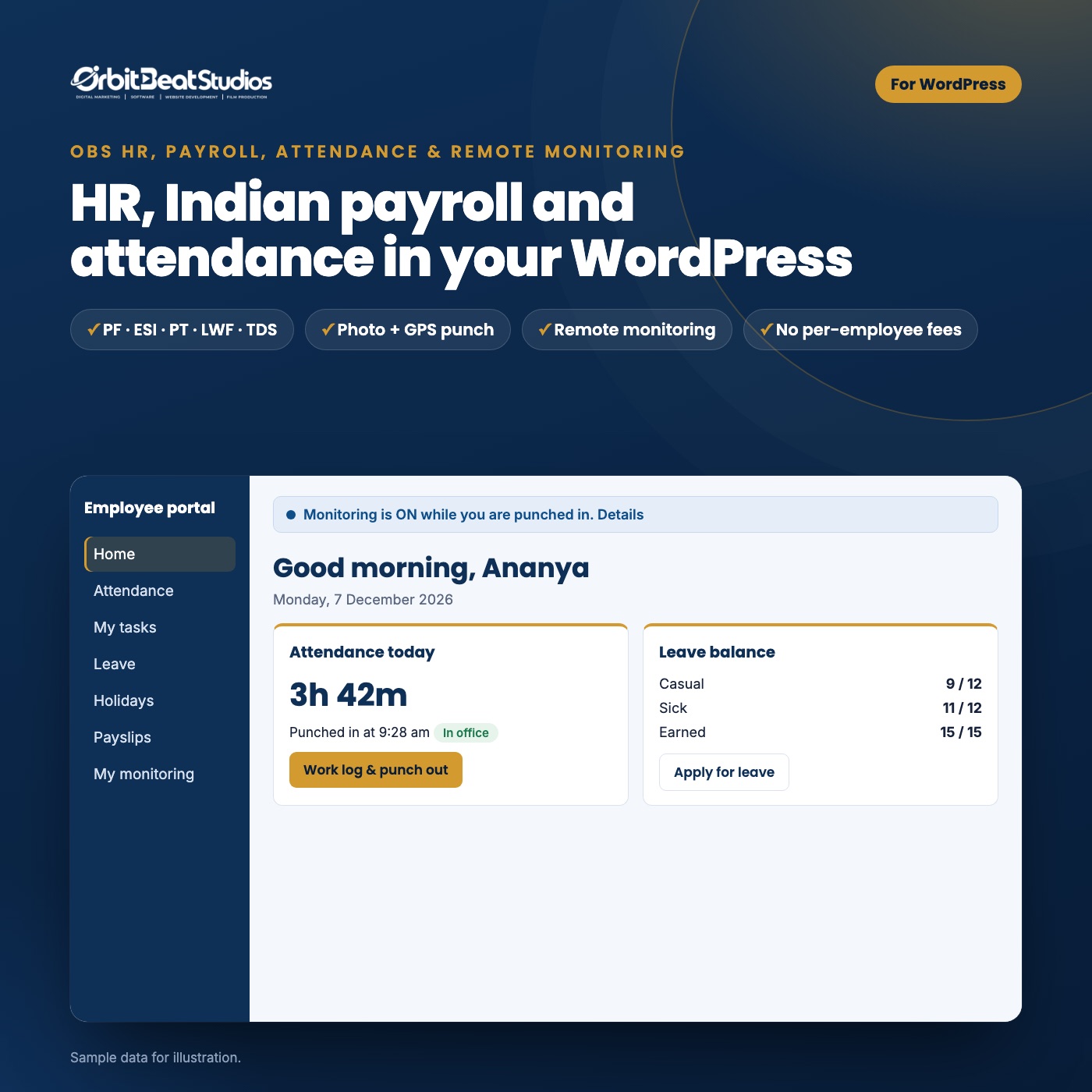
Features, one by one
Everything a growing Indian team needs, in one plugin
Install it on your company’s WordPress site. Employees just open your portal link and sign in — there is nothing to install for them.
Attendance
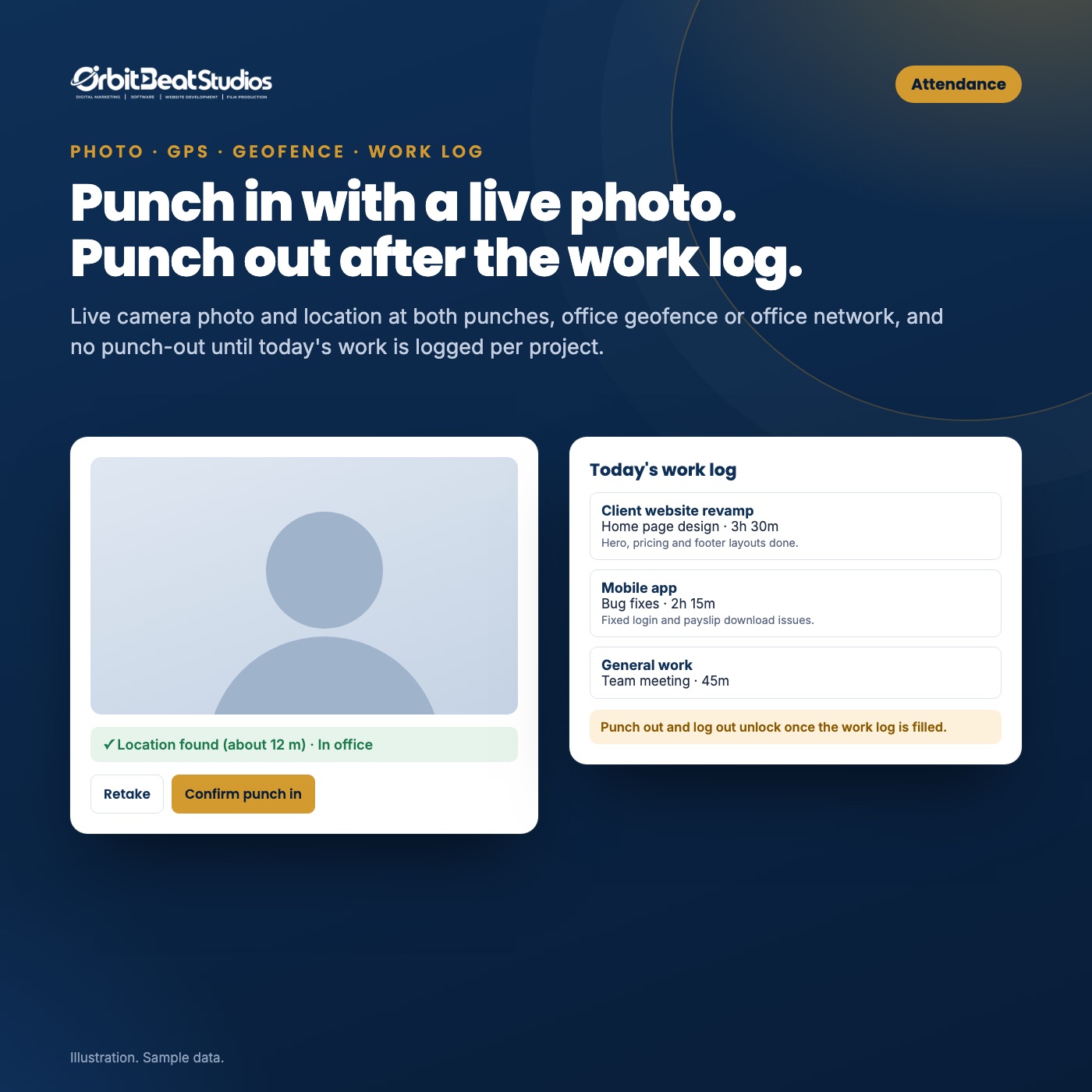
Punch in with a live photo. Punch out after the work log.
Every punch has a live camera photo and the location. Office desktops without GPS are recognised by your office network.
- Office geofence: block, or allow and flag for HR
- Hours and notes per project or task before punch out
- Log out is blocked until the work log is filled
- Days left open are closed at shift end and flagged
- Monthly attendance sheet, corrections with an audit trail
Payroll
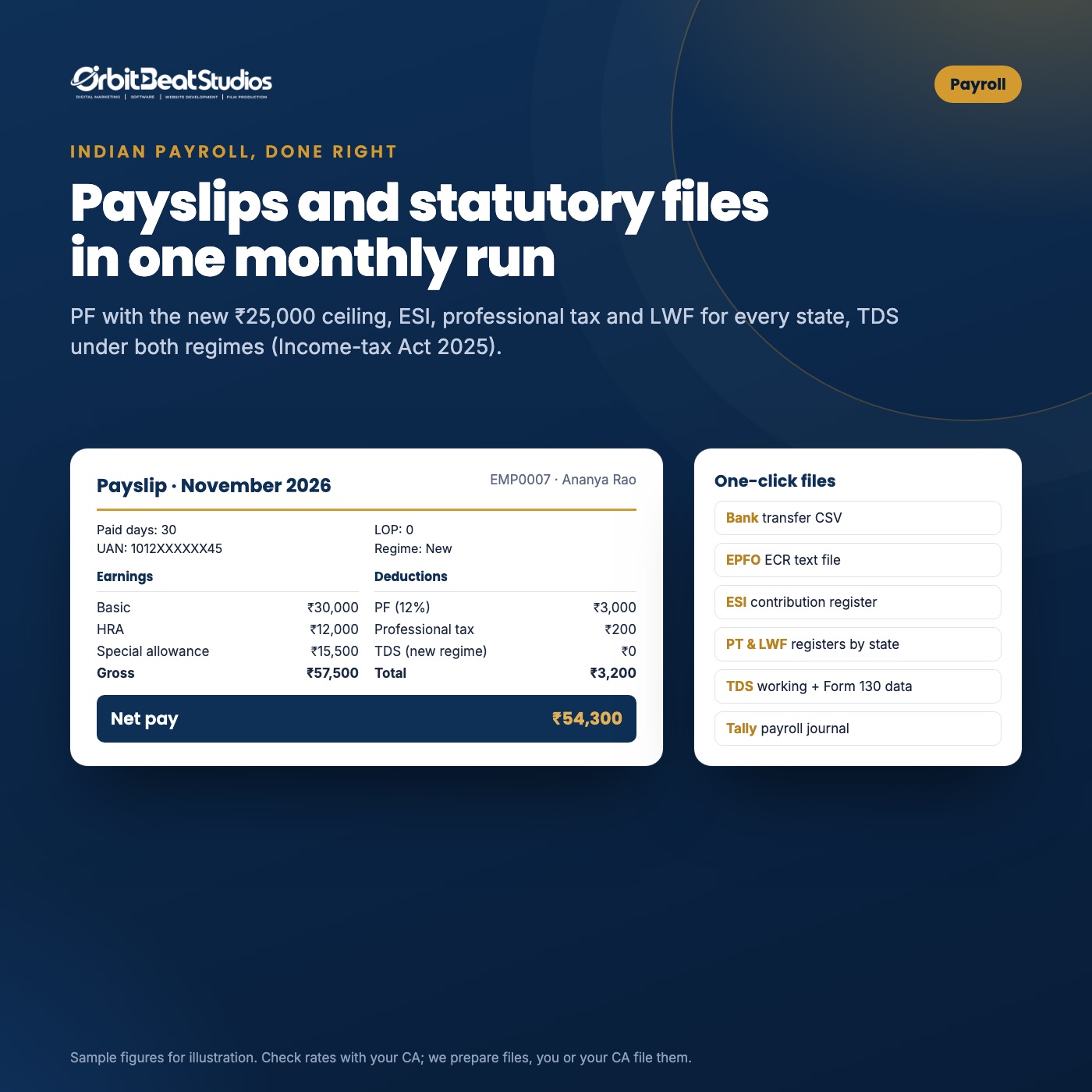
Payslips and statutory files in one monthly run
Salary structures, paid days from attendance and leave, and every Indian deduction worked out for you.
- PF with the ₹25,000 wage ceiling (from 17 Sep 2026), ESI, PT and LWF for every state
- TDS under both regimes as per the Income-tax Act 2025
- Labour Codes check: wages at least 50% of pay
- PDF payslips in bulk, emailed and downloadable
- Bank CSV, EPFO ECR, ESI, PT/LWF registers, TDS working, Tally journal
Leave & holidays
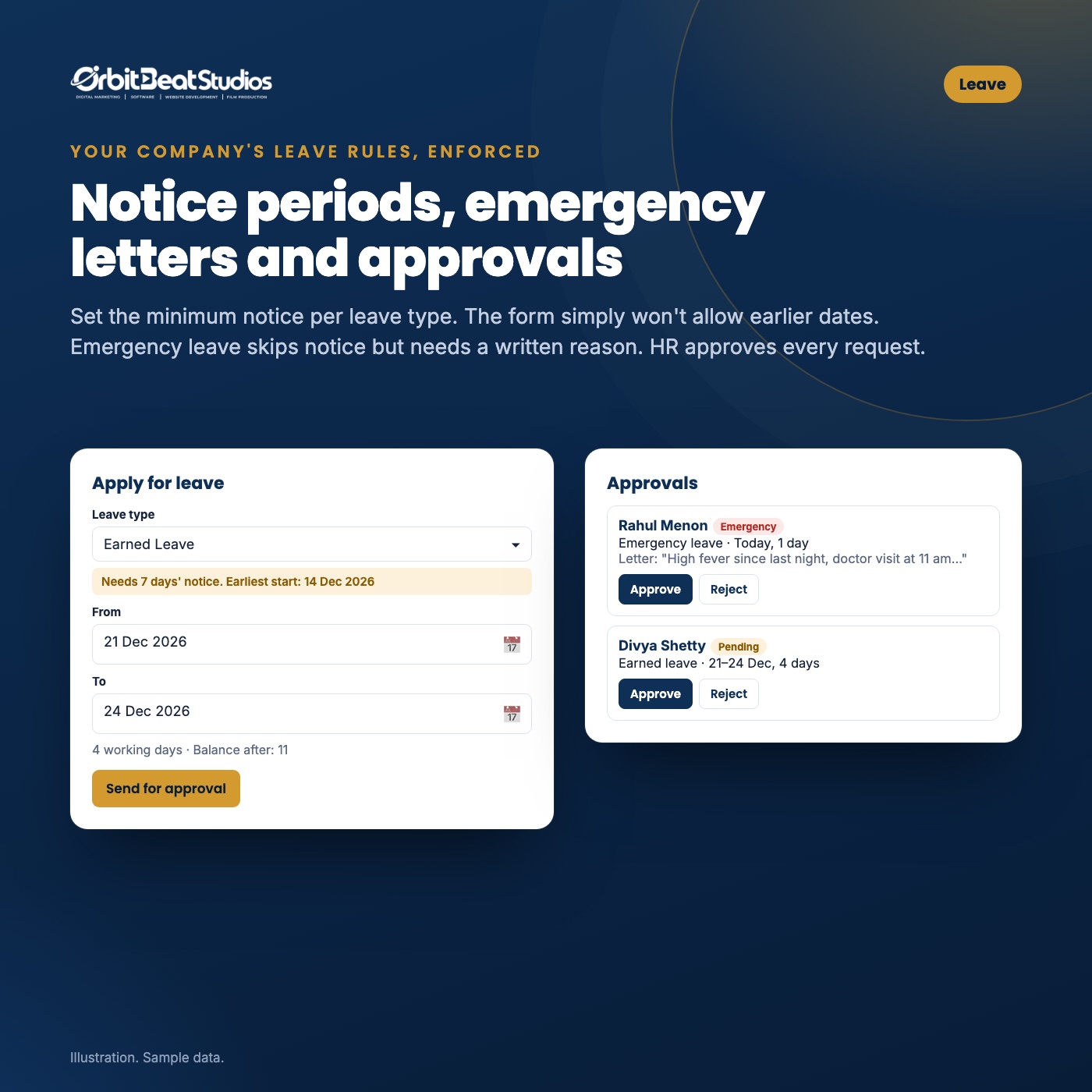
Your leave rules, enforced by the form itself
Set a minimum notice per leave type. If it is 7 days, the earliest date an employee can pick is 7 days away.
- Emergency leave skips the notice but needs a written letter
- Balances, yearly quota and carry forward
- HR (or the reporting manager) approves every request
- Yearly holiday list with CSV import
Employee portal
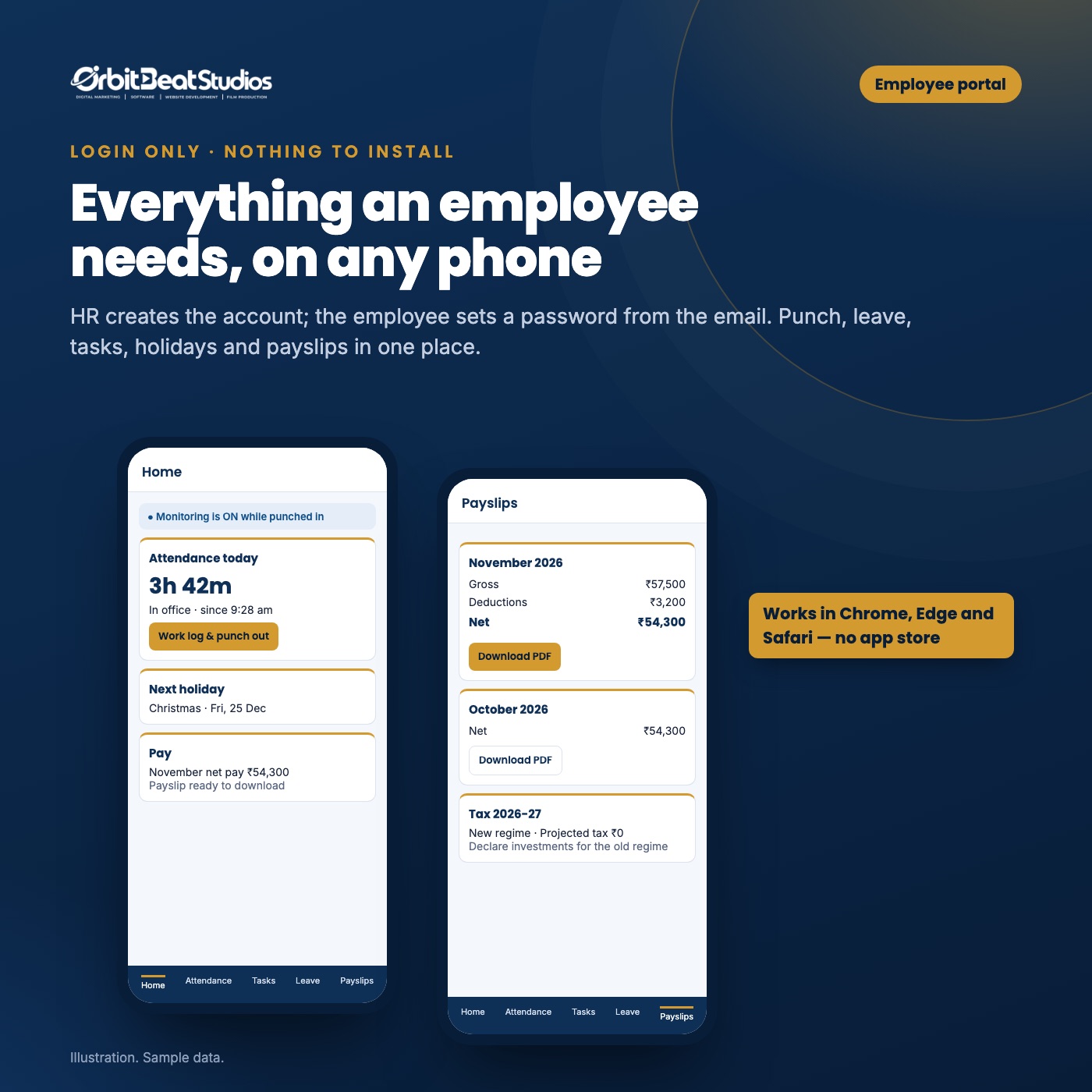
A separate, login-only portal on any phone
HR creates each account; the employee sets a password from the welcome email. No sign-ups, no app store.
- Attendance, tasks, leave, holidays, payslips, profile
- Stays signed in; log out only after the day’s work log
- Branded with your company name and logo
Projects & tasks
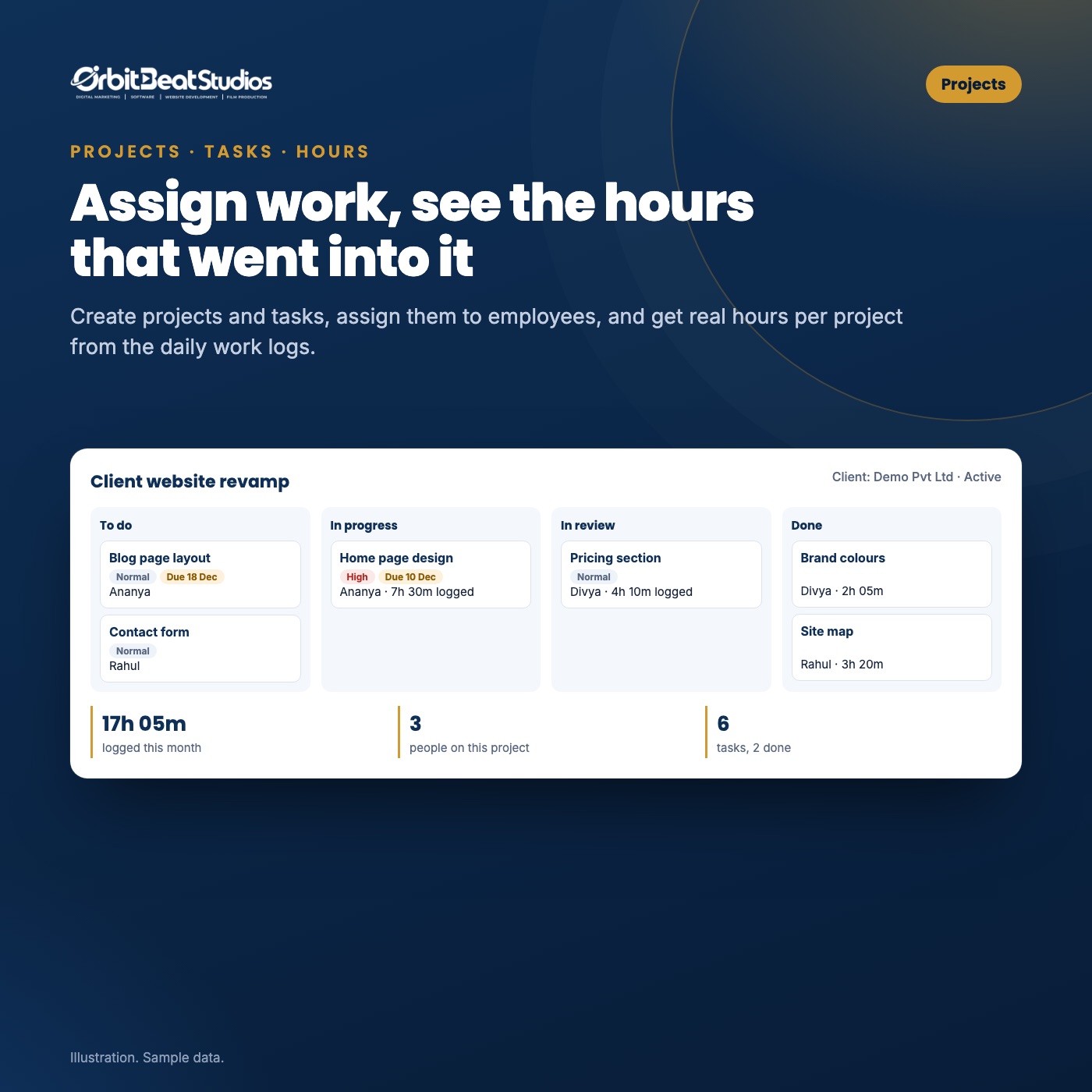
Assign work and see the real hours behind it
Create projects, assign tasks to employees and get hours per project straight from the daily work logs.
- Task board: to do, in progress, in review, done
- Due dates, priorities and email on assignment
- Work-log reports by project and employee, CSV export
Screen monitoring Business & Growth
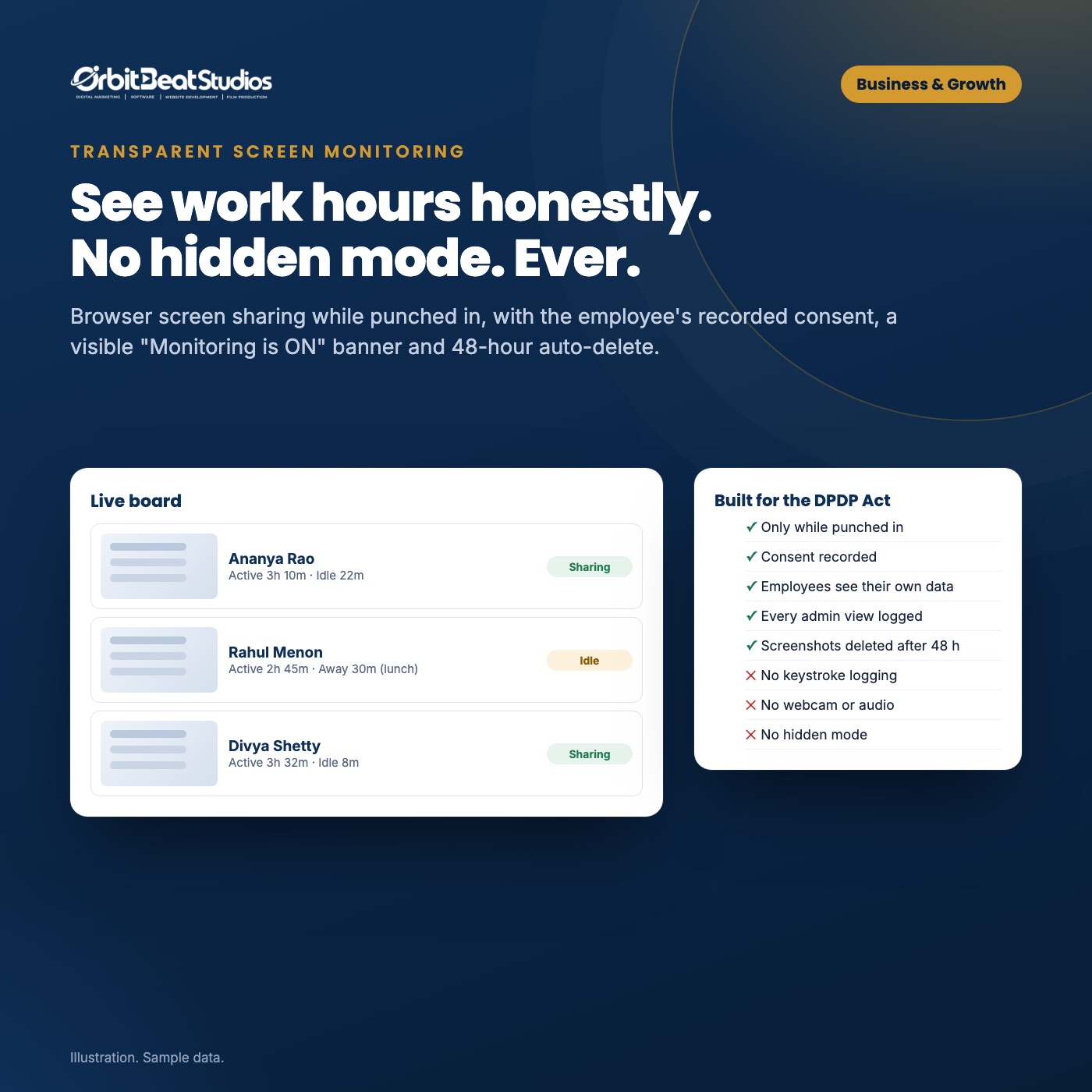
See working hours honestly. No hidden mode, ever.
After punch in, employees share their entire screen from the portal. Sharing keeps running across portal pages.
- Screenshots every 2 to 15 minutes, active and idle time
- Live view and short clips, with a banner the employee sees
- Consent recorded; employees see their own screenshots
- Auto-deleted after 48 hours; every admin view is logged
- No keystrokes, no webcam or audio, nothing after punch out
For HR
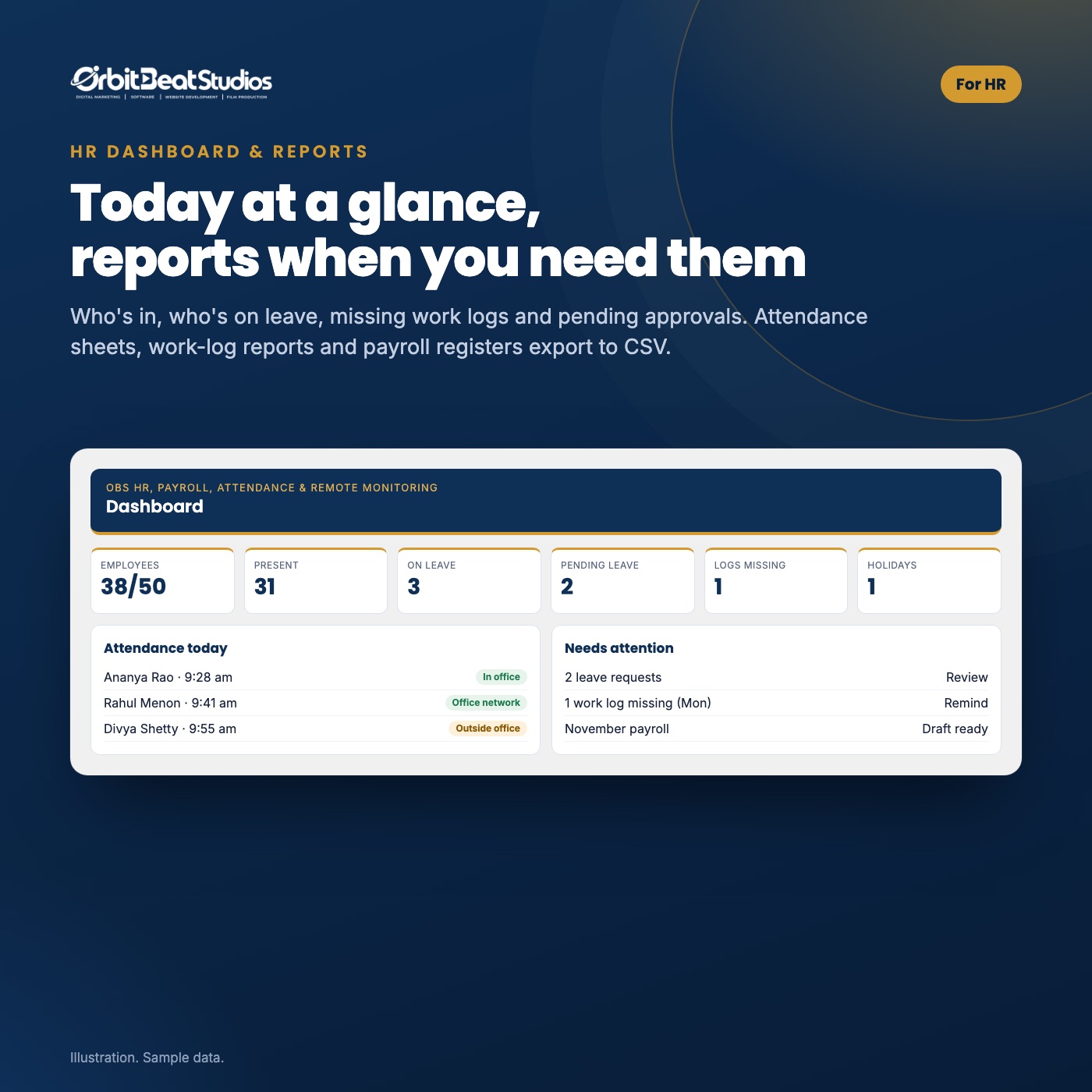
Today at a glance, reports when you need them
Who is in, who is on leave, missing work logs, pending approvals and the payroll draft — on one screen.
- Employees, documents, departments, offices, shifts
- Roles: employee, manager, HR admin
- Works with OBS GST Invoice & Billing (payroll card on its dashboard)
How we compare
Payroll, attendance and monitoring for the price of one
Prices for 50 employees, as listed on each vendor’s pricing page on 13 Nov 2026. Their prices are before 18% GST; ours include it.
Swipe the table sideways to see every product →
| What you get | OBS HR, Payroll, Attendance & Remote Monitoring | Zoho Payroll | greytHR | RazorpayX Payroll | WP ERP (WordPress) |
|---|---|---|---|---|---|
| Price | |||||
| 50 employees, per year | ₹5,999 incl. GST | ₹36,000 + GST (Professional) | ₹29,940 + GST (Essential); ₹53,940 + GST with geo-fencing (Growth) | ₹77,988 + GST (Elite) | From about ₹12,000 (Pro, USD pricing) |
| Per-employee fees | None | Plan slabs by employees | Plan slabs by employees | Plan slabs by employees | By user count |
| Payroll | |||||
| PF, ESI, PT, LWF, TDS (India) | ✓ | ✓ | ✓ | ✓ | Not listed |
| PDF payslips, employee self-download | ✓ | ✓ | ✓ | ✓ | Generic payroll add-on |
| Attendance & work | |||||
| Live photo + GPS at punch in and out | ✓ | Via Zoho People (separate product) | Geo-fencing on Growth plan | Not listed | Not listed |
| Work log required before punch out | ✓ | Not listed | Not listed | Not listed | Not listed |
| Projects and tasks with hours | ✓ | Not listed | Not listed | Not listed | Via other modules |
| Monitoring & data | |||||
| Screen monitoring with consent | ✓ Business & Growth | Not listed | Not listed | Not listed | Not listed |
| Data stays on your own server | ✓ | Vendor cloud | Vendor cloud | Vendor cloud | ✓ |
“Not listed” means we did not find it on the vendor’s pricing or product pages on 13 Nov 2026; it may exist on other plans or as an add-on. Sources: zoho.com/in/payroll/pricing, greythr.com/pricing, razorpay.com/payroll/pricing, wperp.com/pricing. Free tiers also exist (for example Zoho Payroll up to 10 employees). Check each vendor before deciding.
Typical yearly cost, 50 people
What you still do yourself
Plans
One price per website, per year
Prices include 18% GST. Direct purchase, licence key by email, updates for a year.
Starter – 15 employees
- 1 site
- Updates & support while active
- Staging & local sites free
Business – 50 employees
- 1 site
- Updates & support while active
- Staging & local sites free
Growth – 200 employees
- 1 site
- Updates & support while active
- Staging & local sites free
Prices in INR. A GST tax invoice is issued for every order — add your GSTIN at checkout for input tax credit.
Starter: up to 15 employees, no screen monitoring · Business: up to 50 employees with monitoring · Growth: up to 200 employees with monitoring.
Questions
Frequently asked
Do employees need to install anything?
No. They open your portal link (for example yourcompany.com/hr-portal/) in Chrome, Edge or Safari and sign in with the account HR created.
Where is our data stored?
On your own WordPress server. Photos, documents, payslips and screenshots are kept in a private folder and opened only through short-lived signed links.
Is screen monitoring legal in India?
It is designed around the DPDP Act 2023: a clear notice, recorded consent, monitoring only while punched in, a visible banner, short retention and employee access to their own data. There is no hidden mode. Please take your own legal advice for your company policy.
Can phones share the screen?
No browser on a phone can share the screen. Phones are for punching in and out, leave, tasks and payslips; screen monitoring needs a computer with Chrome or Edge.
What if a computer has no GPS?
Add your office’s internet address in the office settings: punches from that network count as in-office. Otherwise an approximate location is used and HR sees how it was taken.
Does it file returns or pay salaries?
No. It calculates everything and prepares the files (ECR, ESI, PT, LWF, TDS working, bank CSV). You or your CA file returns and pay challans; your bank pays salaries.
Do I need WooCommerce or OBS GST Invoice & Billing?
No. OBS HR, Payroll, Attendance & Remote Monitoring works on any WordPress site. If OBS GST Invoice & Billing is installed, a payroll card appears on its dashboard.
Can I upgrade my plan later?
Yes. Contact us from the Support page and we will move your licence to the bigger plan.
Run HR and payroll from your own website
Attendance with proof, payroll done right and monitoring your team can trust.